
General
40+ illustrations generated and placed in one workflow
A website needed illustrations in the same style. We built an automated workflow that generated, stored, and placed them all from a simple list.
Objective
Create a full set of website illustrations in one coherent style
A static Hugo website launch needed 40+ custom illustrations for pages, blog posts, industry sections, and personas. Every image had to look like it belonged to the same family, be saved with the right name, and end up in the right place in the site's content files.
Doing this by hand means: describe what you want, generate an image, download it, rename it, upload it, open the right page, paste the image reference, repeat 40 times. Hours of repetitive work with plenty of room for mistakes and inconsistency.
Our approach
Automate everything from the wish list to the finished website
One list to rule them all
We started with a structured list: one line per image with a description of what to generate, the filename to save it as, where it goes on the website, and the alt text for accessibility. This list is the only thing you need to maintain. Update it, run the workflow again, done.
One reference image for a consistent look
Instead of hoping each image would match the others, we gave the AI one reference image that defined the visual style. A recurring style instruction was automatically added to every prompt. The result: 40+ illustrations that look like they were made by the same hand, without adjusting each one individually.
An automated workflow that handles the heavy lifting
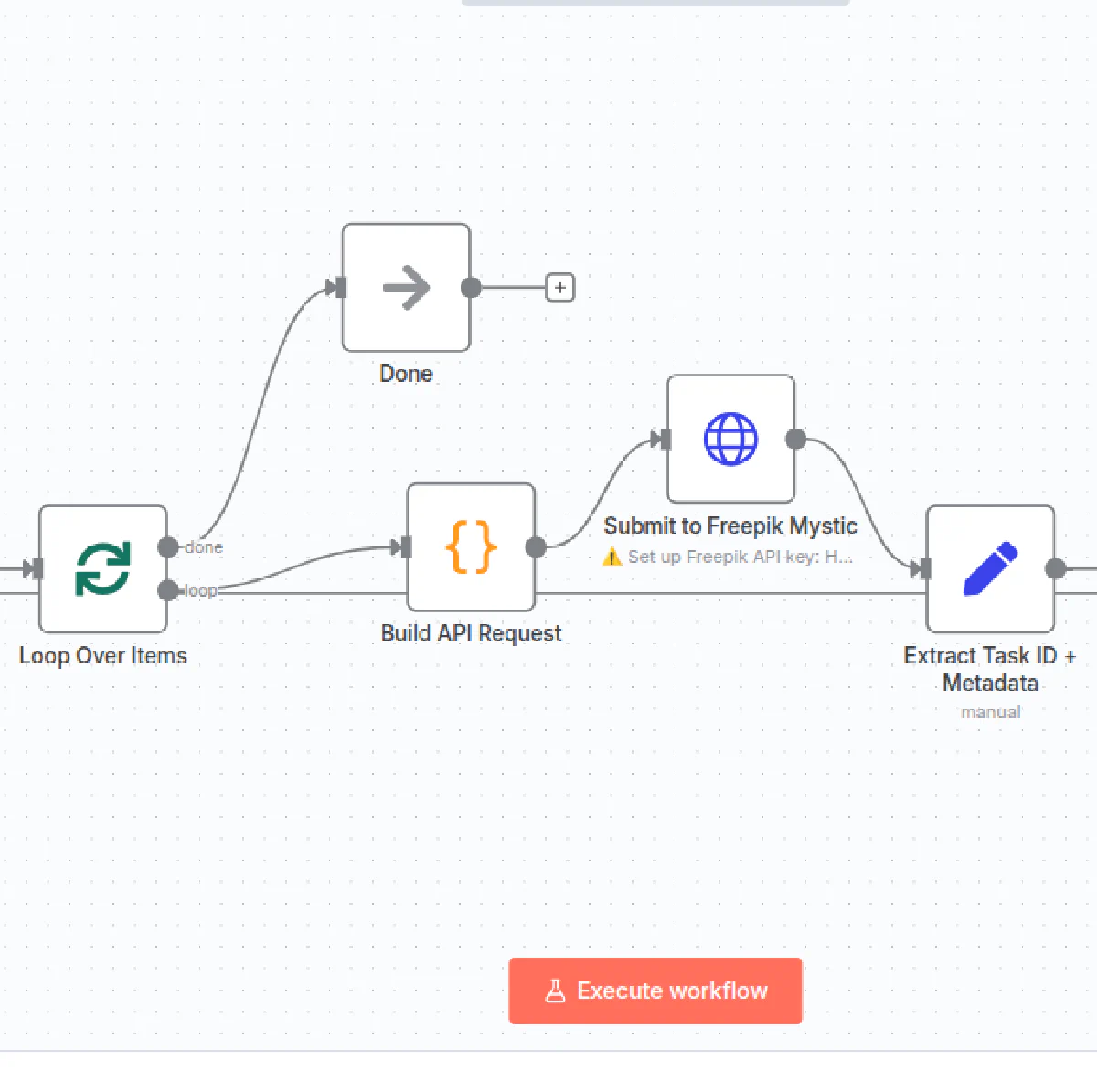
A custom workflow in n8n goes through the list, sends each prompt to Freepik Mystic for generation, waits for the result, downloads the finished image, gives it the right filename, and stores it in the cloud. It handles retries, pacing, and can be run for the full batch or just a subset. API keys are stored securely as separate credentials, not inside the workflow itself.
AI assistant for the final placement
With all images generated and named, Claude Code placed each one at the correct spot in the website files, matching the filename and alt text from the original list. What would have been 40+ manual file edits happened in a single pass.
The result
Full visual identity deployed in hours, not days
40+ illustrations generated, stored, and placed on the website. All in the same style. All with correct names and descriptions. The whole process took a fraction of what manual work would have cost. And the best part: the workflow is reusable. Need a new batch of images? Update the list, hit run.
Ready to build your AI-powered marketing setup?
Let's talk about what an AI-powered marketing setup looks like for your industry.